A screen recorder designed around the final result
Haze is a native macOS screen recorder for product demos, tutorials, and visual walkthroughs. I designed and built it around a simple idea: recording should be quick, but the result should still feel deliberate and polished.
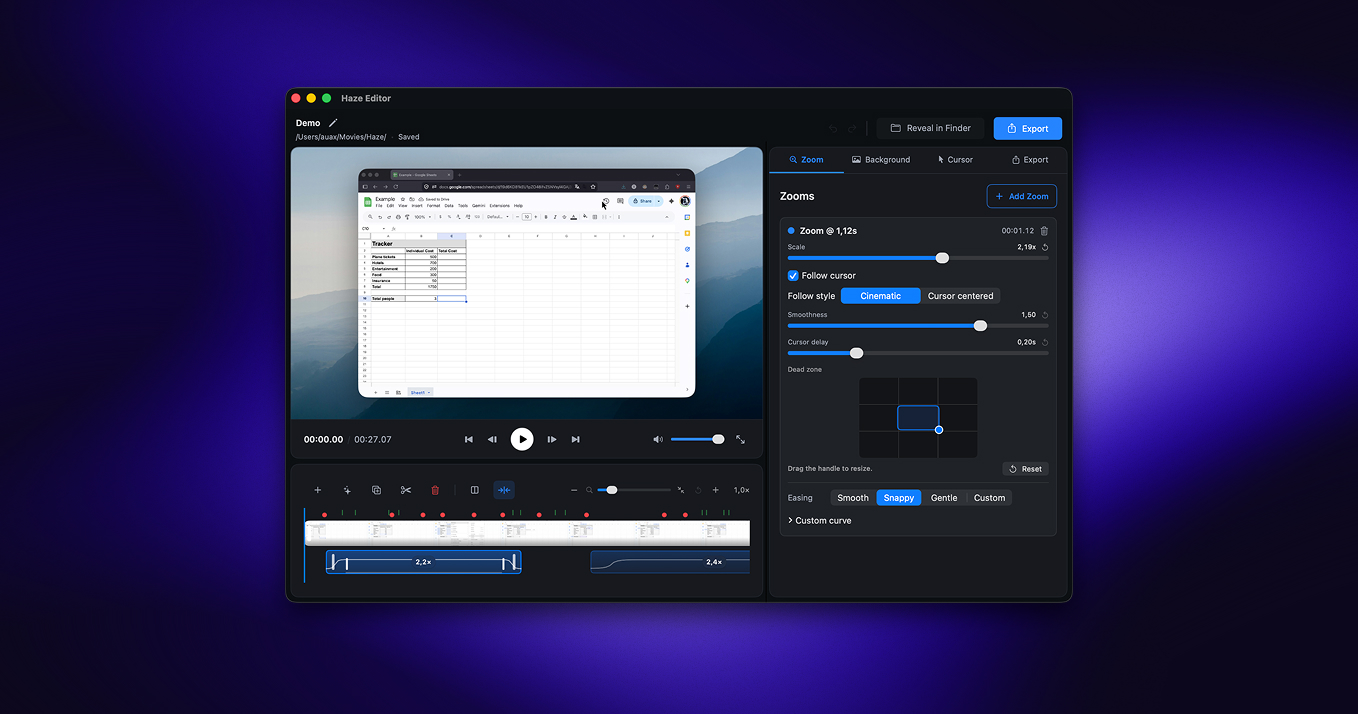
Instead of stopping at screen capture, Haze brings recording and post-production into one focused workflow. It records the screen and cursor separately, suggests useful zoom moments, and lets every movement be refined before export.
The product challenge
Most screen recorders optimize for getting pixels into a file. Product videos need more than that: the viewer has to understand where to look, cursor motion should feel natural, and zooms should support the story rather than distract from it.
My goal was to make those presentation details approachable without turning Haze into a full video editor. The interface had to remain calm while still giving precise control over capture, timing, zoom keyframes, and export quality.
A focused editing workflow
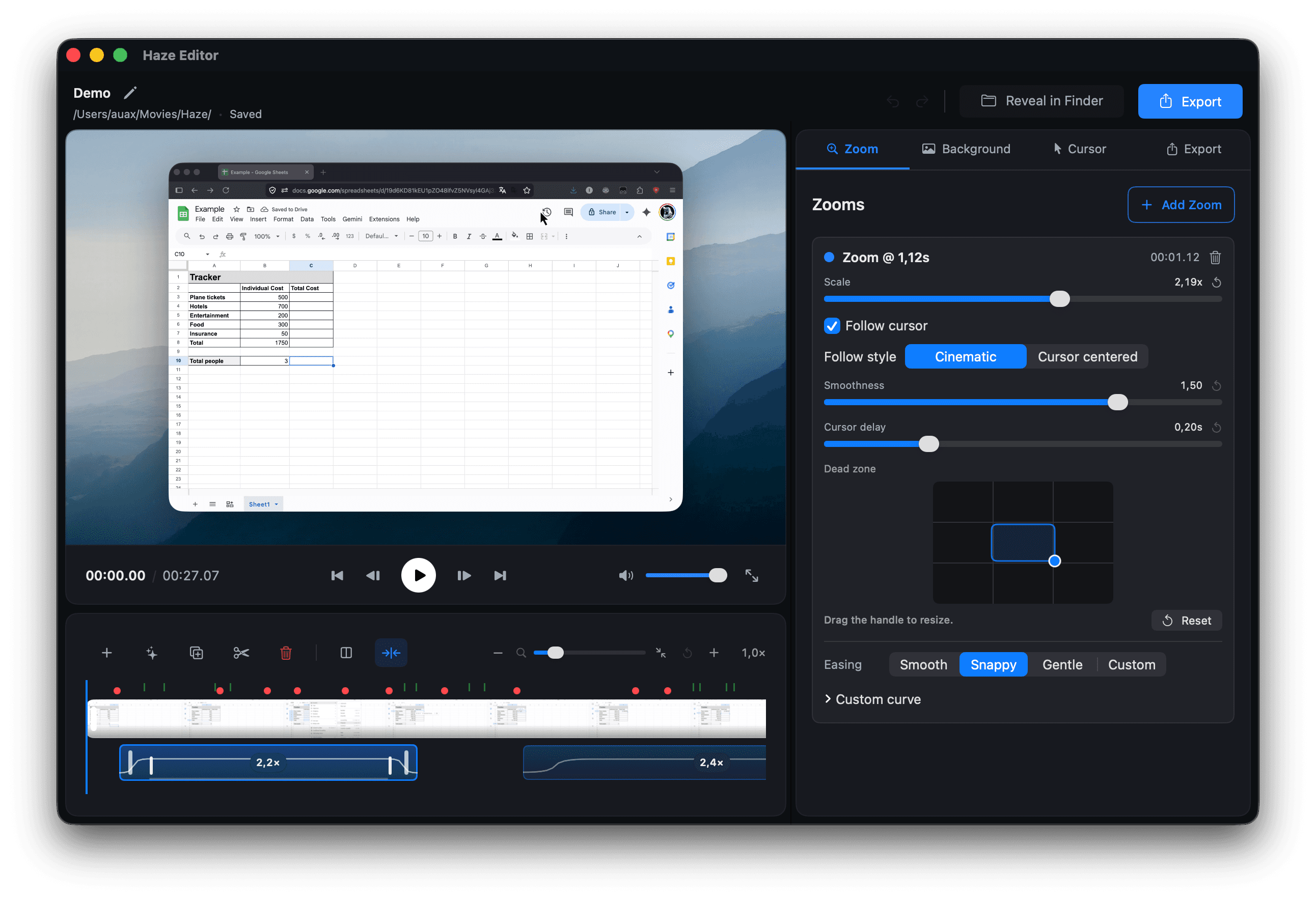
The editor uses a timeline-based workflow where recordings, cursor data, and zooms stay synchronized. Automatic zoom suggestions provide a useful starting point, while editable keyframes let the user adjust the framing and pacing of each moment.
Haze supports display, window, and region capture, along with controls for frame rate and resolution. During export, it reconstructs smooth cursor movement and cinematic zoom transitions to produce a clean final video.
An example recording exported from Haze.
Building it natively
I built Haze with Swift and SwiftUI to make the experience feel at home on macOS. Metal powers the rendering work needed to combine the captured video, cursor overlay, and animated framing efficiently.
The project brought together product design, native interface work, media processing, and animation. The result is a tool that treats screen recording as a presentation medium—not only as a capture utility.
